
Enigma: What’s that in the Sky
Enigma Labs, LLCNews & Magazines
3.6188.00 Reviews
- Version
- 2.3.4
- Installs
- 100.00K
- Age Rating
- Everyone 10+
Screenshots
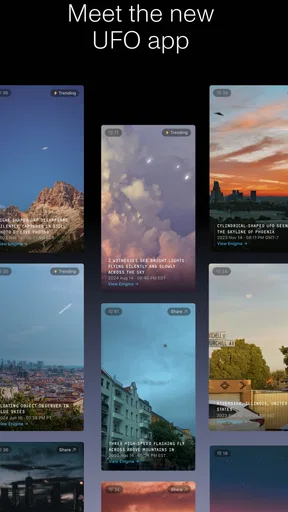
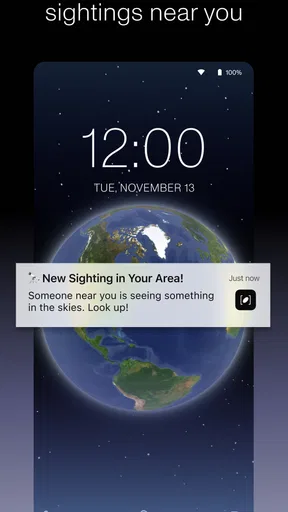
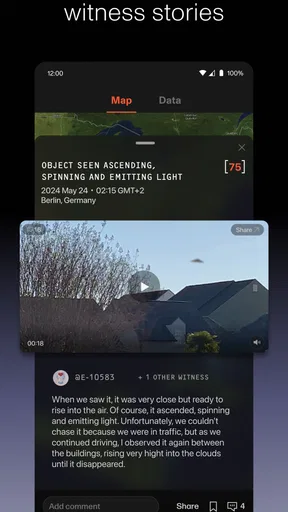
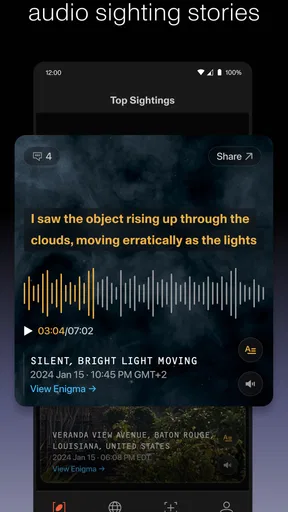
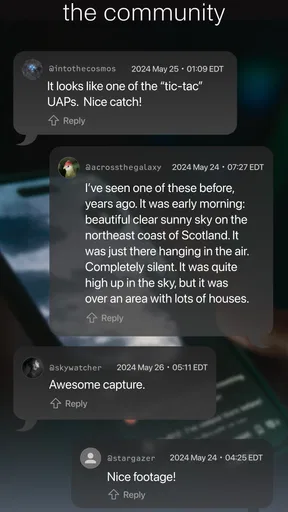
Our Review of Enigma: What’s that in the Sky
 Analysis by Appyee
When I first opened Enigma: What’s that in the Sky, I understood its appeal immediately: it turns an unusual sighting into something you can document instead of merely mentioning it in a group chat. This free News & Magazines app from Enigma Labs, LLC is built around reporting drones and UFO sightings, with a more structured approach than a casual social post. I found it most interesting as a field notebook for strange objects, not as a promise that every report will reveal an extraordinary answer.
The app has a focused purpose. You open it when you see something that does not look familiar, when you want to record an event while the details are fresh, or when you are curious about reports from other people. That narrow focus is both its strength and its main limitation. It does not try to replace a broad news reader, a general astronomy guide, or a camera app. Instead, it gives a specific kind of observation a place to go.
How I use Enigma from the first sighting to the finished report
My preferred workflow begins before I decide what I saw. I first take a moment to note the direction, approximate time, movement, color, shape, and whether the object changes speed or brightness. That habit matters because memory quickly turns a short event into a polished story. Enigma is more useful when I treat it as a record of observations rather than a tool for proving a theory.
In an everyday situation, imagine noticing a line of lights moving across the sky while walking home. My first instinct might be to reach for the phone camera, but a shaky, zoomed-in clip can easily become less useful than a careful written account. I would capture whatever video is practical, then enter the report while the sequence is still clear. I would describe what happened in plain terms, separating what I actually observed from what I guessed it might be.
That distinction is one of the best ways to get value from the app. Saying that an object moved steadily from one side of the sky to another is more useful than immediately labeling it a drone, aircraft, satellite, or UFO. If I identify something too early, I may unconsciously adjust every later detail to fit that label. A neutral report leaves room for comparison with other sightings and with ordinary explanations.
The app is also better suited to repeated use than to a single burst of curiosity. After an unusual sighting, I would make a report, save any relevant media in a separate place, and note environmental details that may help later. Was the sky clear? Were there nearby buildings, hills, towers, or airports? Did the lights blink in a regular pattern? Could the apparent movement have been caused by my own changing viewpoint? These notes make a report more useful than a dramatic caption.
For people who want to browse rather than report, the experience has a different value. You can approach it as a way to compare how other observers describe uncertain events. I would not use nearby reports as automatic confirmation that my own sighting was unusual. Several people may be describing the same conventional object, while two reports with similar wording may have completely different causes. The app is most rewarding when it encourages careful comparison rather than instant agreement.
The practical question is whether you need an account, a camera, or specialist knowledge before starting. In my experience of the app’s purpose, the important preparation is observational, not technical. You do not need to be an astronomer to write a useful report. A clear sequence of ordinary details can be more valuable than complicated terminology. If you are uncomfortable sharing an event, however, you should think carefully before submitting anything personal or identifiable and keep the report limited to what you are willing to associate with the sighting.
Because the app is free, it is easy to try without making a financial commitment. That makes sense for occasional observers who may only open it a few times a year. It also lowers the barrier for someone who wants to see whether structured reporting fits their habits. The trade-off is that a free specialist app may not offer the broad research tools or polished depth of a dedicated astronomy service, and I would not expect it to become my only sky-watching tool.
Settings and preparation that make reports more useful
There is no benefit in treating every setting as something to change immediately. I prefer to check the basics first: notification behavior, location access, camera access, and any options that affect how reports are created or displayed. I only enable what supports the way I intend to use the app. If I am mainly documenting my own observations, unnecessary alerts can become noise rather than help.
Location is especially worth considering. A sighting report can be more useful when its area and direction are clear, but location information is also sensitive. I would review the phone’s location permission and decide whether the convenience of automatic positioning is worth the privacy trade-off. If I am reporting from home, I would be more cautious than when reporting from a public place. The right choice depends on how much precision I want to provide and how comfortable I am sharing it.
Camera access should be approached in the same practical way. If I plan to record an event, quick access can save time, but I would not assume that filming is always the best response. A phone camera often struggles with distant, dim, or moving lights. A short clip that preserves the direction and motion may help, while excessive digital zoom can create blur and compression artifacts that make interpretation harder.
I also recommend checking notification preferences after the first few sessions rather than ignoring them. An app centered on sightings can become distracting if every update interrupts ordinary phone use. I would keep alerts that help me return to a report or notice relevant activity, but reduce anything that encourages constant checking. The goal is to make Enigma part of a repeatable observation routine, not to let it turn every evening into an alert-monitoring exercise.
One useful preparation step happens outside the app: create a simple note template for sightings. I use fields such as local time, viewing direction, duration, apparent motion, color, sound, weather, and nearby reference points. This prevents the report form from becoming a memory test. It also makes my entries more consistent, which helps when I review them later. The app provides the reporting destination; the quality of the raw notes still depends on the observer.
Another setting-related trade-off concerns media. I would keep the original photo or video in the phone’s normal gallery before submitting or attaching it anywhere. That gives me a stable copy for later review and avoids relying on a processed or shared version. I would also avoid editing a clip before I have preserved the original. Cropping may make an object easier to see, but it can remove useful context such as the horizon, nearby lights, or the apparent scale of the event.
These habits are not glamorous, but they are where experienced use begins. Enigma cannot correct a report that was written from a rushed memory, and no setting can turn a blurred light into reliable evidence. The strongest report is usually the one with the clearest limits. Saying “I could not judge its distance” is more honest and more useful than filling that gap with confidence.
Faster patterns for people who report often
Once I have used the app several times, I stop treating every report as a completely new task. I follow the same order: secure the media, record the basic facts, describe the motion, add context, and only then consider possible explanations. This sequence reduces the chance that a theory will influence the original description. It also makes the process faster because I am not deciding what to write from scratch each time.
A quick report does not have to be a shallow one. I can write a compact account using a fixed structure: where I was, where I looked, what I saw, how it moved, how long it remained visible, and what happened at the end. If I have no reliable estimate for one of those points, I leave it out rather than inventing precision. This is a better shortcut than typing a dramatic paragraph while the event is still unfolding.
I find it helpful to separate observation from interpretation with two short paragraphs or two clearly different parts of my notes. The first says what the object appeared to do. The second says what I think it might have been. That small separation is a powerful safeguard against accidental exaggeration. It also makes later review easier, especially if another explanation becomes obvious after checking the time, route, weather, or surrounding lights.
For repeated sightings, I would keep a personal log outside the app as well. The log can include the report date, a private reference, and follow-up thoughts. This is useful because an individual report is only one moment, while a personal record can reveal patterns in my own observation habits. Perhaps I notice unusual lights mostly near a familiar route, or perhaps I tend to misjudge distance at night. Recognizing those patterns improves future reports.
Another efficient habit is to prepare before going outside. I would make sure the phone has enough battery, clean the camera lens, and avoid opening the camera only after the object has nearly disappeared. I would also remember that the phone’s compass and camera orientation are not perfect substitutes for a careful description. A nearby building, tree line, or roof can provide a more understandable reference than a vague statement about an angle.
The app is also easier to evaluate when I use it alongside ordinary alternatives. A general news app is better for following confirmed events and broad reporting. An astronomy app may be better for identifying planets, constellations, satellites, or visible celestial events. A camera app is better when my only goal is to capture footage. Enigma occupies a narrower middle ground: it gives an unusual sighting a reporting context, while the other tools help me investigate what I may have seen.
That combination is more sensible than expecting one app to answer every question. If I see a bright object, I might first check an astronomy reference, then use Enigma if the event remains unexplained or if I want to document it. If I see a likely drone, a local aviation or community source may provide more practical context. The value here is not that it replaces those resources, but that it gives me a consistent place to record the observation while I compare possibilities.
People often ask whether the app is useful if they are skeptical about UFO reports. I think it can be, provided they use it as a reporting and comparison tool rather than a belief test. A skeptical user can benefit from writing down uncertain observations, checking ordinary explanations, and seeing how incomplete information affects interpretation. Someone seeking guaranteed answers or dramatic confirmation will probably find the experience frustrating.
Where the app’s advanced usefulness ends
Enigma becomes more interesting with disciplined habits, but it still has clear limits. A report does not automatically establish what an object was, and a collection of reports does not by itself become scientific evidence. The app can organize observations, but it cannot remove the problems of distance, poor lighting, camera limitations, mistaken identity, or incomplete context.
This matters particularly with video. Night footage can make a stationary light appear to move when the phone shifts, and autofocus can create strange changes in size or brightness. Digital zoom may emphasize noise instead of detail. I would treat media as supporting context, not as a final answer. When reviewing a clip, I would watch the full original rather than only a cropped highlight and compare the object’s movement with fixed points in the scene.
There is also a social limit. Reports from other people can help me notice recurring descriptions, but they can also encourage group interpretation. Once a popular explanation appears, later observers may unconsciously use the same language. I would read surrounding reports after writing my own account, not before, whenever I want to preserve an independent first impression.
Privacy deserves equal attention. A report may contain more than the sky: a home exterior, a recognizable street, a person’s voice, or metadata associated with a photo. Before submitting media, I would inspect the frame and remove anything I do not want to share. I would also avoid including names, exact home details, or unrelated private information in the narrative. The app’s subject is unusual activity in the sky, not the personal lives of observers.
Another limitation is audience fit. If I want a polished explanation of celestial objects, a dedicated astronomy application is likely the better first choice. If I want verified journalism, a reputable news source is more appropriate. If I want a private diary with no community element, a notes app gives me more control. Enigma makes the most sense when I specifically want structured reporting around drones and UFO sightings and accept that uncertainty is part of the subject.
The app’s public position also suggests a realistic expectation of scale. It has passed one hundred thousand installs, while its average rating sits at 3.6 from 472 ratings and 174 reviews. Those figures tell me it has attracted a real audience, but they do not make it universally polished or universally trusted. I would read the overall reception as a reason to try it personally, not as proof that it will fit every reporting style.
For compatibility, the current version is 2.3.2 and it supports Android starting with version 7.0. That makes it accessible to many older Android phones, though actual camera quality, storage, battery condition, and performance will still vary by device. I would test the reporting flow before relying on it during an important observation. A phone that handles ordinary apps well may still struggle with night filming or location accuracy.
The age rating is Everyone 10+, which feels appropriate for the subject matter. I would still encourage younger users to be thoughtful about location and media sharing, especially when a report is made from home. The rating does not remove the need for ordinary online safety. A family using the app together could turn it into a useful lesson in observation, skepticism, and responsible documentation rather than simply searching for the most exciting explanation.
My verdict after building a repeatable routine
After using Enigma in this more deliberate way, I see it as a specialized companion rather than an all-purpose sky app. Its best role is helping me move from “I saw something strange” to “Here is exactly what I noticed, here is what I recorded, and here is what I still do not know.” That is a modest purpose, but it is genuinely useful when the alternative is relying on a fading memory or an unstructured social post.
I would recommend it to curious observers, amateur sky-watchers, and people who regularly notice aerial activity and want a consistent reporting habit. It is also a reasonable choice for someone interested in comparing firsthand accounts without paying for access. The free price makes experimentation easy, and the focused subject gives the app a clearer identity than a general community feed.
I would skip it if I mainly want authoritative identification, detailed astronomy lessons, private journaling, or a conventional news experience. In those cases, a specialist astronomy tool, a trusted news publication, or a private notes system will serve me better. I would also avoid making it my only evidence-gathering method. The strongest approach combines careful observation, preserved original media, ordinary reference tools, and a healthy willingness to accept an ordinary explanation.
My final advice is simple: report first, interpret second. Check the permissions and alerts, keep original media, use a repeatable description, and do not let other reports write your account for you. Those habits reveal both the app’s real strength and its boundary. Enigma is valuable when it improves the quality of your observation, not when it tries to manufacture certainty.
With that expectation, I think Enigma: What’s that in the Sky is worth trying for the right reader. It is free, focused, and easy to understand, but it rewards patience more than excitement. I would keep it installed alongside an astronomy reference and my normal camera, using each for the job it handles best. For documenting an uncertain sighting responsibly, this app gives the process a useful home.
Privacy and Permissions
See what permissions an app requests and how it handles your data.
- Location
- approximate location (network-based), precise location (GPS and network-based)
- Camera
- take pictures and videos
- Wi-Fi connection information
- view Wi-Fi connections
- Other
- view network connections, full network access, run at startup, reorder running apps, prevent device from sleeping, Google Play license check
Verdict
Strengths of Enigma: What’s that in the Sky
- Engaging mystery-solving gameplay with a strong focus on observation.
- Atmospheric visuals make exploring unusual sky phenomena enjoyable.
- Short cases are convenient for quick play sessions.
- Clues encourage curiosity and careful attention to detail.
- Suitable for players who enjoy relaxed, story-driven puzzles.
Limitations of Enigma: What’s that in the Sky
- Some puzzles may feel too simple for experienced mystery-game fans.
- Progress can become repetitive when investigating similar sky events.
- The pacing is slower than action-oriented mobile games.
- Hints or solutions may reduce the challenge for some players.
- Performance and loading times can vary across older devices.
Similar Picks in This Category
View All
Google News - Daily Headlines
Google LLC4.0

X
X Corp.4.8

Flipboard:Your Social Magazine
Flipboard3.4

Opera News: breaking & local
Opera4.5

Hindi News by Dainik Bhaskar
Dainik Bhaskar Group4.0

Way2News Daily News App
Way2News ( Formerly Way2SMS )4.6
Frequently Asked Questions
What is Enigma: What’s that in the Sky about?
Enigma: What’s that in the Sky is a mystery-focused game built around observing unusual events and trying to understand what is happening above you. Players investigate clues, examine details, and connect information to uncover the story. It is aimed at users who enjoy atmospheric exploration, curiosity-driven gameplay, and solving questions rather than fast action or competitive challenges.
Is Enigma: What’s that in the Sky suitable for children?
The game may be suitable for older children and teenagers, depending on their tolerance for mysterious themes and suspenseful situations. It does not appear to be designed as a traditional educational title, and some scenes or story elements may feel unsettling. Parents should check the official age rating, content descriptions, and device settings before allowing younger players to download and play it.
Does the game require an internet connection to play?
Whether Enigma: What’s that in the Sky works fully offline can depend on the version installed and the platform being used. Some features, updates, advertisements, or verification processes may require an internet connection, even if the main gameplay is available offline. It is best to launch the game once while connected and review its requirements before relying on it during travel.
Are there in-app purchases or advertisements in Enigma: What’s that in the Sky?
Before downloading, users should check the store listing for the current information about advertisements, paid content, and optional purchases. Free mystery games commonly use ads or offer additional items, hints, or content through in-app transactions. If children will use the app, enabling purchase restrictions and parental controls is recommended so that accidental charges are avoided.
What devices are compatible with Enigma: What’s that in the Sky?
Compatibility depends on the operating system, device model, available storage, and the minimum software version required by the developer. Older phones or tablets may experience slower loading, reduced visual quality, or occasional performance issues. Check the official Google Play or App Store listing before installing, and make sure the device has enough free space for the game and future updates.
